Email
Email
 Facebook
 X
X
 Copy Link



 Proudly Canadian-Owned
FREE SHIPPING
on eligible orders over $79! Exclusions apply.
Proudly Canadian-Owned
FREE SHIPPING
on eligible orders over $79! Exclusions apply.
[[ preferedStore?.name]], [[preferedStore?.iso_code]]
[[ preferedStore?.address1]], [[preferedStore?.city]], [[preferedStore?.province_name]], [[preferedStore?.postcode]]
[[ preferedStore?.distance ]] km away
My Preferred Store[[ preferedAddress?.alias]]
[[ preferedAddress?.address1]], [[preferedAddress?.city]], [[preferedAddress?.province_name]], [[preferedAddress?.postcode]]
See suggested stores below.
[[ store.name]], [[store.iso_code]]
[[ store.address1]], [[store.city]], [[store.province_name]], [[store.postcode]]
[[ store.distance ]] km away
My Preferred StoreSee suggested address below.
[[ store.alias]]
[[ store.address1]], [[store.city]], [[store.province_name]], [[store.postcode]]
Your postal code helps estimate shipping, delivery, and pricing. Your address helps estimate shipping, delivery, and pricing.

Sold out online
Available delivery methods and estimated delivery times may differ by region.
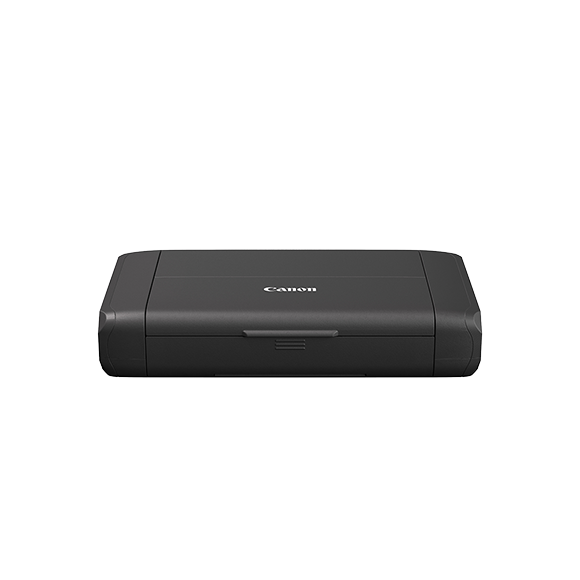
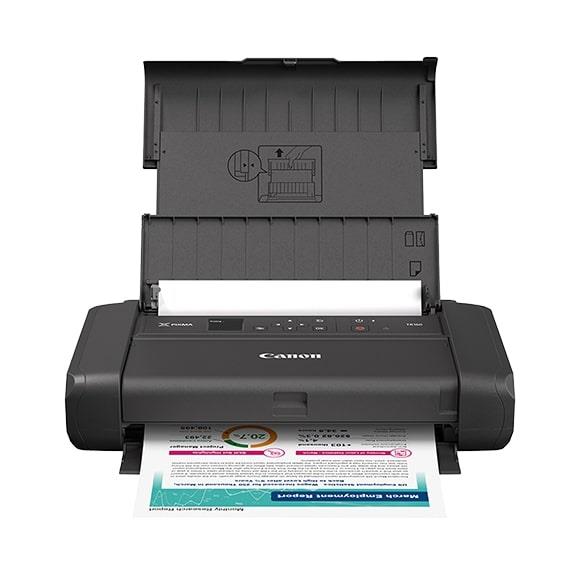
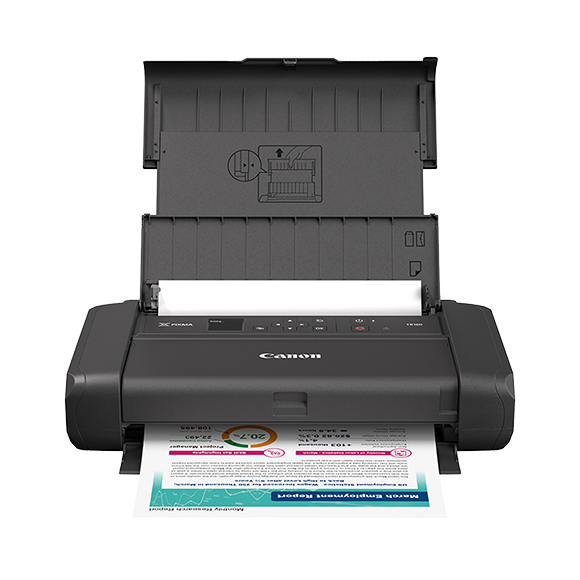
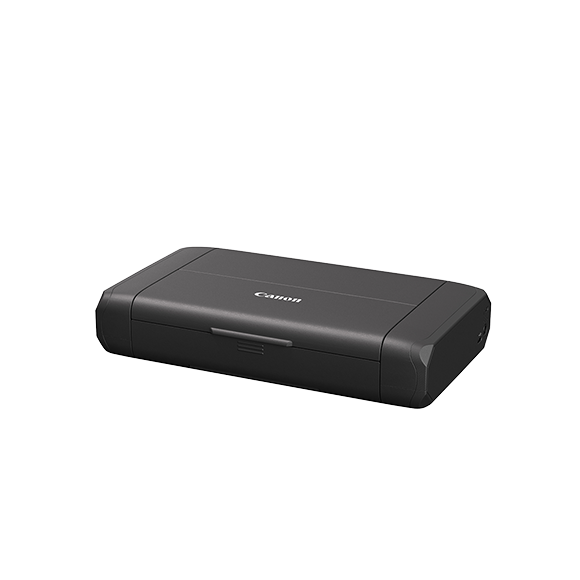
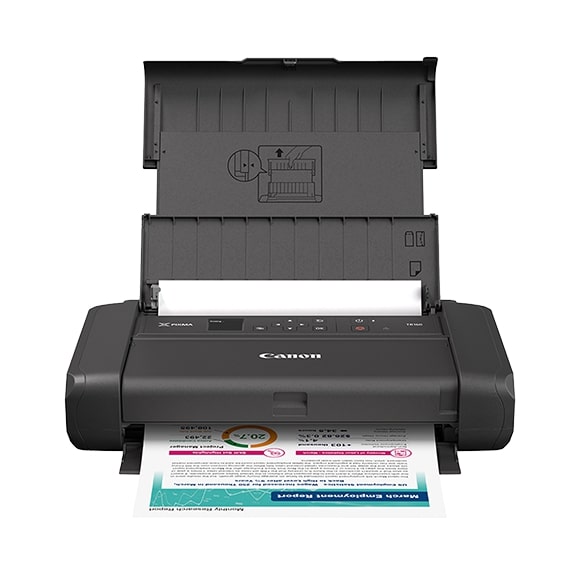
Print high-quality documents, flyers, one-sheets, sales materials, and even borderless6 photos with the PIXMA TR160 Wireless Portable Printer. Compact and lightweight, this versatile pri...
MSRP: $399.99
Item Code: 7069C041
Learn more about the features of the PIXMA TR160 with Battery Pack.
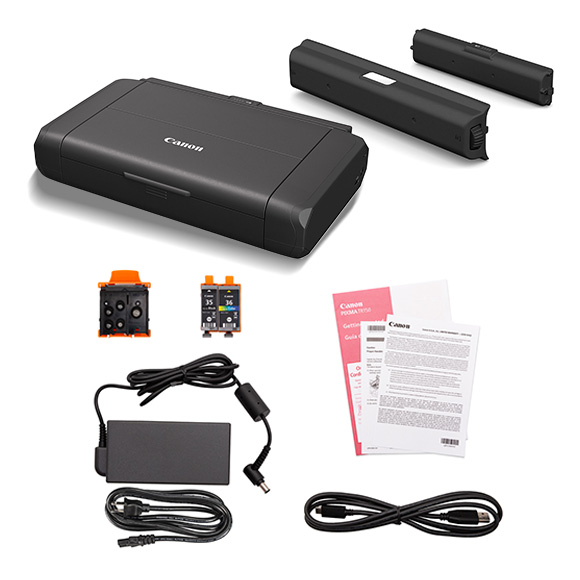
PIXMA TR160 Wireless Portable Printer
LK-72 Battery Pack
Setup and Other Documentation
Set of Ink Tanks (PGI-35 BK & CLI-36 CL)
Print Head
1. Wireless printing requires a working network with wireless 802.11b/g/n/a/ac capability, operating at 2.4GHz or 5Ghz. Wireless performance may vary based on terrain and distance between the printer and wireless network clients.
2. Requires an Internet connection and the Canon PRINT app, available for free on the App Store and at Google Play. Compatible with Apple devices running iOS® 11 or later, and AndroidTM mobile devices running Android 4.4 or later. Your device must be connected to the same working network with wireless 802.11 b/g/n/a/ac capability as your printer. Requires a compatible social media account and is subject to that social media account’s Terms of Service. Certain exceptions may apply.
3. Document print speeds are the averages of ESAT in Office Category Test for the default simplex mode, ISO/IEC 24734. Photo print speed is based on the default setting using ISO/JIS-SCID N2 on Photo Paper Plus Glossy II and does not take into account data processing time on host computer. Print speed may vary depending on system configuration, interface, software, document complexity, print mode, page coverage, type of paper used etc. See canon.ca/iso for additional details.
4. AirPrint functionality requires a compatible iPad, iPhone, or iPod Touch device running iOS 7.0 or later, and an AirPrint-enabled printer connected to the same network as your iOS device. A printer connected to the USB port of your Mac, PC, AirPort Base station, or Time Capsule is not supported.
5. Requires Android mobile device with Android 4.4 operating system or later with the Mopria Print Service pre-loaded with that device and the compatible PIXMA printer on the same wireless network. The Mopria experience is also available on Android 4.4 mobile devices with a download of the Mopria Print Service from Google Play.
6. Paper types NOT supported for borderless printing are as follows: Envelope, High Resolution Paper, T-Shirt Transfer and Photo Stickers. The maximum borderless printing size is 8.5”x11”.
7. Optional battery sold separately. Printable pages tested under normal temperature and humidity, using fully-charged new battery, printing ISO/IEC 24712 files (5 patterns) continuously in colour on Letter-size plain paper in Standard mode of printer driver. Printed via USB connection without Wi-Fi connection.
8. DPS over IP compatible device required.
9. The Easy-PhotoPrint Editor software requires an Internet connection and is compatible with the following operating systems; Microsoft Windows 10 (64-bit/32-bit), Microsoft Windows 8.1 (64-bit/32-bit), Microsoft Windows 7 SP1 (64-bit/32-bit), macOS High Sierra v10.13, macOS Sierra v10.12, Mac OS X El Capitan v10.11 and Mac OS X El Capitan v10.10.5. Minimum Windows and macOS/Mac OS X requirements are: 2GB of RAM and a monitor with 1024x768 resolution. The Easy-PhotoPrint Editor mobile application requires an Internet connection and the Easy-PhotoPrint Editor app v1.1.0, available for free on the App Store and at Google Play. Compatible with iPad Air2 (2nd Generation), iPad Mini 4 and iPhone 6s or later devices running iOS 10 or later, and Android mobile devices running Android 5.x or later. Certain exceptions may apply. The following file formats are supported: JPEG, PNG, HEIF (devices running iOS 11 and mac OS v10.13 or later), DLP save data, Poster Artist export data, EasyPhoto+ export data, Easy-PhotoPrint Editor export data.
10. Up to 5 files. Save to printer via Windows driver only. See user manual for full details.
11. Based on accelerated testing by Canon in dark storage under controlled temperature, humidity and gas conditions, simulating storage in an album with plastic sleeves. Canon cannot guarantee the longevity of prints; results may vary depending on printed image, drying time, display/storage conditions, and environmental factors. See www.usa.canon.com/chromalife100 for additional details.
12. Requires a smart device with the Canon PRINT app installed and connected to the desired active wireless network to complete cableless setup.
13. Requires an active smart assistant account linked and accompanying app enabled, the smart device and printer to be actively connected with permission to the Canon Inkjet Cloud Printing Center, and the required action(s), skill(s), or applet(s) available/enabled to the compatible printer. Voice commands can not be displayed as text on Amazon smart devices with screens.
14. Operation can only be guaranteed on a PC with pre-installed Windows® 11, Windows® 10, Windows® 8.1, Windows® 7 SP1.
15. Internet Connection required during software installation. For full compatibility macOS v11.7.6 or later is recommended.
16. Some functions may not be available with these Operating Systems. Please refer to the manual or website for details.
17. Canon Print Service is a print plug-in for Android smart devices, which enables printing from Android v4.4 - v5.0 devices to many Canon printers via a Wi-Fi network. The plug-in does not work as a standalone app. Available for free at Google Play.
18. Requires an Internet connection and the Creative Park app, available for free on the App Store and at Google Play. Requires a active ‘Canon ID’ available for free, and subject to ‘Canon ID’ Terms of Service. Visit myid.canon for more information. Certain exceptions may apply.
19. The online version of PosterArtist requires a personal computer with Internet access and a compatible Canon printer. The service is not available on some operating systems or browsers. See canon.ca/support-posterartist
20. Warranty programs are subject to certain conditions and restrictions. See https://www.canon.ca/warranty for details.
21. Duty Cycle is defined as the maximum number of printed pages for a single peak month.
22. Resolution may vary based on printer driver setting. Colour ink droplets can be placed with a horizontal pitch of 1/4800 inch at minimum.
23. Product box dimensions may be measured in vertical box configuration.
24. Cable lock not included.
25. Functions and features may vary by printer model.
| Return Period | 15 Days - Unused |
| Defective Exchange Period | 30 Days |
| Return Period | 15 Days - Unused |
| Defective Exchange Period | 30 Days |
| Brand | CANON |
| Model | PIXMA TR160 |
| Model Number | 7069C041 |
| Printer Output | Colour |
| Multifunction | Print Only |
| Auto Duplex Printing | Single Sided or Manual Duplex |
| Printer Connectivity | USBWireless |
| Automatic Document Feeder (ADF) | No ADF |
| Print Speed (Black and White) | 1-10 PPM (Pages Per Minute) |
| Print Resolution | 4800x1200 dpi |
| Printer Type | Inkjet |
| Scan Resolution | Up to 1200 x 1200 dpi |
| Compatible Inks | PGI-35 BK & CLI-36 CL |
| Copy Features | Borderless Copy, Document Copy, Fit-to-Page, Photo Copy, Standard Copy |
| Copy Speed Letter Simplex ESAT (up to) | Approx. 27.0 Seconds |
| Copy Speed Letter Simplex FCOT (up to) | Approx. 3.0 ipm |
| Dimensions (W x D x H) | Closed: 17.2in (W) x 12.9in (D) x 5.8in (H), Paper Installed: 17.2in (W) x 21.8 (D) x 8.4in (H) |
| Input Paper Tray | 60 Sheets |
| Max. Document Size | 8.5 x 11.7 (Letter/A4) |
| Mobile App Support (iOS®/ ANDROID™) | Canon PRINT app, Easy-PhotoPrint Editor app, Message In Print app |
| Monthly Duty Cycle | Up to 1000 pages print |
| No. of Copies | Up to 20 Copies |
| Other Features | 2 Cartridge FINE (Full-photolithography Inkjet Nozzle Engineering) Hybrid Ink System, Auto Power On/Off, Canon PRINT app4, Canon Print Service17, Energy Star® Certified, PIXMA Cloud Link4, Quiet Mode, Wireless Connect1, Wireless Direct Connection (Access Point Mode Only) |
| Paper Compatibility | Plain: Plain Paper; Glossy: Photo Paper Plus Glossy II, Photo Paper Glossy; Other: Magnetic Photo Paper, Restickable Photo Paper |
| Paper Handling | Rear Paper Tray: 60 Sheets of Plain Paper OR 20 Sheets (4 x 6) / 10 Sheets (5 x 7) Photo Paper |
| Paper Sizes | 4 x 6, 5 x 5 (Square), 5 x 7, Letter (8.5 x 11), Legal (8.5 x 14) |
| Print Resolution (Up to) | 4800 x 1200 dpi |
| Print Speed 4 x 6 Borderless Photo (PP-201): | Approx. 65.0 Seconds |
| Print Speed Black | 7.7 ppm |
| Print Speed Colour | 4.0 ppm |
| Scan to PDF | Supported |
| Scanner Features | Auto Scan Mode, Document Scanning, Photo Scanning, Scan to Canon PRINT app, Wireless Scanning5 |
| Scanner Type | Flatbed |
| Scanning Element | Contact Image Sensor (CIS) |
| Software Included | SOFTWARE (WINDOWS/MAC), PIXMA TS3420 Wireless Inkjet All-In-One Printer Driver, Scan Utility (Win/Mac) / Scan Utility Lite (Mac Only), Easy-PhotoPrint Editor Software |
| Wireless Information | Standard: IEEE 802.11b/g/n/a Security: WPA-PSK (TKIP/AES), WPA2-PSK (TKIP/AES), WPA3-SAE (AES) Wireless LAN Frequency Band(s): 2.4 GHz / 5 GHz Wireless Direct Connection Capable/Wireless Connect Capable: Yes |
| Brand | CANON |
| Model | PIXMA TR160 |
| Model Number | 7069C041 |
| Printer Output | Colour |
| Multifunction | Print Only |
| Auto Duplex Printing | Single Sided or Manual Duplex |
| Printer Connectivity | USBWireless |
| Automatic Document Feeder (ADF) | No ADF |
| Print Speed (Black and White) | 1-10 PPM (Pages Per Minute) |
| Print Resolution | 4800x1200 dpi |
| Printer Type | Inkjet |
| Scan Resolution | Up to 1200 x 1200 dpi |
| Compatible Inks | PGI-35 BK & CLI-36 CL |
| Copy Features | Borderless Copy, Document Copy, Fit-to-Page, Photo Copy, Standard Copy |
| Copy Speed Letter Simplex ESAT (up to) | Approx. 27.0 Seconds |
| Copy Speed Letter Simplex FCOT (up to) | Approx. 3.0 ipm |
| Dimensions (W x D x H) | Closed: 17.2in (W) x 12.9in (D) x 5.8in (H), Paper Installed: 17.2in (W) x 21.8 (D) x 8.4in (H) |
| Input Paper Tray | 60 Sheets |
| Max. Document Size | 8.5 x 11.7 (Letter/A4) |
| Mobile App Support (iOS®/ ANDROID™) | Canon PRINT app, Easy-PhotoPrint Editor app, Message In Print app |
| Monthly Duty Cycle | Up to 1000 pages print |
| No. of Copies | Up to 20 Copies |
| Other Features | 2 Cartridge FINE (Full-photolithography Inkjet Nozzle Engineering) Hybrid Ink System, Auto Power On/Off, Canon PRINT app4, Canon Print Service17, Energy Star® Certified, PIXMA Cloud Link4, Quiet Mode, Wireless Connect1, Wireless Direct Connection (Access Point Mode Only) |
| Paper Compatibility | Plain: Plain Paper; Glossy: Photo Paper Plus Glossy II, Photo Paper Glossy; Other: Magnetic Photo Paper, Restickable Photo Paper |
| Paper Handling | Rear Paper Tray: 60 Sheets of Plain Paper OR 20 Sheets (4 x 6) / 10 Sheets (5 x 7) Photo Paper |
| Paper Sizes | 4 x 6, 5 x 5 (Square), 5 x 7, Letter (8.5 x 11), Legal (8.5 x 14) |
| Print Resolution (Up to) | 4800 x 1200 dpi |
| Print Speed 4 x 6 Borderless Photo (PP-201): | Approx. 65.0 Seconds |
| Print Speed Black | 7.7 ppm |
| Print Speed Colour | 4.0 ppm |
| Scan to PDF | Supported |
| Scanner Features | Auto Scan Mode, Document Scanning, Photo Scanning, Scan to Canon PRINT app, Wireless Scanning5 |
| Scanner Type | Flatbed |
| Scanning Element | Contact Image Sensor (CIS) |
| Software Included | SOFTWARE (WINDOWS/MAC), PIXMA TS3420 Wireless Inkjet All-In-One Printer Driver, Scan Utility (Win/Mac) / Scan Utility Lite (Mac Only), Easy-PhotoPrint Editor Software |
| Wireless Information | Standard: IEEE 802.11b/g/n/a Security: WPA-PSK (TKIP/AES), WPA2-PSK (TKIP/AES), WPA3-SAE (AES) Wireless LAN Frequency Band(s): 2.4 GHz / 5 GHz Wireless Direct Connection Capable/Wireless Connect Capable: Yes |
Write your review
check_circle
check_circle